ZATCA Phase 2 Checklist for Saudi SMEs: Wave 25 Guide
Wave 25 brings Saudi businesses above SAR 187,500 into ZATCA Phase 2. Check if you're in, what changes, and the 12 steps to integrate by 1 Feb 2027.
By Morovix Team
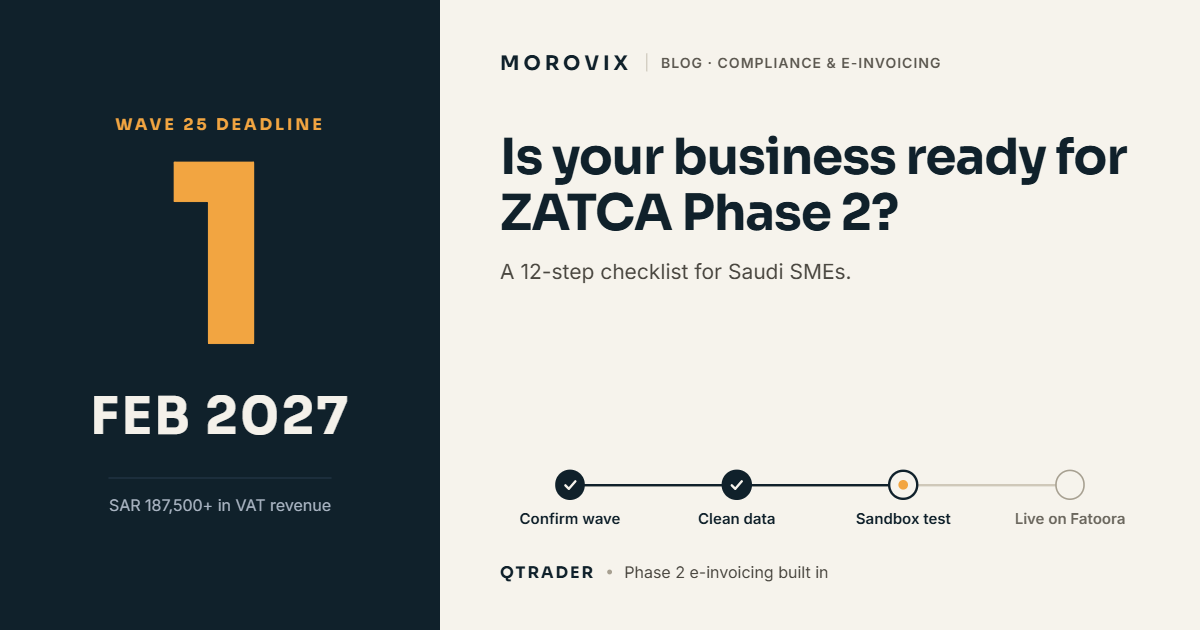
If your VAT-subject revenue went above SAR 187,500 in any year from 2022 to 2025, your business falls into Wave 25 of ZATCA's Phase 2 e-invoicing. That means your invoicing system must be connected to ZATCA's Fatoora platform no later than 1 February 2027 (ZATCA, 24 July 2026). This wave reaches much smaller businesses than earlier ones, so many traders, workshops and service companies are facing Phase 2 for the first time.
The safest route is software that already handles Phase 2, so compliance happens inside the work you do every day. QTRADER, Morovix's cloud ERP for trading companies, includes Phase 2 e-invoicing with a sandbox and production setup for each company. Below is the full checklist, whichever system you use.
Am I in Wave 25?
ZATCA groups businesses into waves by revenue. Each wave gets its own integration date, and ZATCA says it notifies each wave directly at least six months before that date.
| Wave | VAT-subject revenue above | In any of these years | Integrate with Fatoora by |
|---|---|---|---|
| 23 | SAR 750,000 | 2022, 2023 or 2024 | 31 March 2026 |
| 24 | SAR 375,000 | 2022, 2023 or 2024 | 30 June 2026 |
| 25 | SAR 187,500 | 2022, 2023, 2024 or 2025 | 1 February 2027 |
Two practical points. First, it's "any" of those years, so one strong year is enough to put you in. Second, if you crossed SAR 375,000 in an earlier year, you belonged to Wave 24 or before, and that deadline has already passed. Check your notification on the ZATCA portal rather than guessing.
What changes from Phase 1 to Phase 2?
Phase 1, the Generation Phase, started on 4 December 2021. Since then, VAT-registered businesses have had to stop issuing handwritten invoices or invoices made in Word or Excel. Invoices must come from a compliant e-invoicing solution and carry the required fields, including a QR code.
Phase 2, the Integration Phase, adds three things, according to ZATCA:
- Your e-invoicing solution must be integrated with Fatoora, ZATCA's platform.
- Invoices must be issued in a specific electronic format.
- Invoices must include additional fields beyond Phase 1.
In practice, B2B tax invoices are sent to Fatoora for clearance, and B2C simplified invoices are reported to it. The technical rules are detailed, so confirm the current specifications on the ZATCA e-invoicing portal or with your software provider.
The 12-step Phase 2 checklist
Work through these in order. Most businesses need six to ten weeks if nothing goes wrong, so starting now leaves room for problems.
- Confirm your wave. Log in to the ZATCA portal and check for your notification and integration date.
- Check your registration details. Make sure your VAT number, CR number, legal name and address are correct, because they appear on every invoice.
- List every place you issue invoices. Head office, branches, showrooms, sales vans, online orders, and any staff who invoice from a laptop or phone. Each one needs a compliant setup.
- Ask your software provider one direct question: "Does this system support ZATCA Phase 2 integration today, and how do we connect it to Fatoora?" Get the answer in writing.
- Stop all invoices from Excel, Word or handwritten books. These haven't been allowed since Phase 1. If any branch still does this, fix it first.
- Clean your customer data. B2B invoices need your customers' VAT numbers and correct addresses. Missing or wrong details are a common reason invoices fail.
- Register your e-invoicing solution on the Fatoora portal. This connects each system or device you invoice from to ZATCA.
- Test in the sandbox. Issue test invoices, credit notes and debit notes before going live. Check that they're accepted and print correctly in Arabic and English.
- Train your team on credit and debit notes. Corrections can't be made by editing an issued invoice; they need a proper note that references it.
- Plan for B2B clearance. A standard tax invoice needs to be cleared before it goes to your customer, so make sure sales staff know what to do if the system shows a rejection.
- Set up storage. Keep issued e-invoices stored and retrievable as the regulations require.
- Go live before 1 February 2027, then watch for rejected or failed invoices during the first weeks and fix the cause, not just the invoice.
Common mistakes
- Waiting for the notification. ZATCA notifies in advance, but your system work takes weeks. Start as soon as you know you qualify.
- Forgetting the van or the branch. Head office goes live, and one branch keeps issuing invoices from an old system.
- Assuming "has a QR code" means Phase 2. A QR code was a Phase 1 requirement. Phase 2 needs integration with Fatoora.
- Bolting on a separate e-invoicing tool. It works, but every invoice then gets typed twice: once in your sales system and once in the compliance tool.
How QTRADER handles Phase 2
For trading companies, the invoice is the last step of a longer chain: RFQ, supplier quotes, quotation, customer PO, purchase order, delivery, then invoice. In QTRADER, the invoice is created from that chain, so the items, quantities, prices and customer details are already there. Nobody retypes them for compliance.
QTRADER includes ZATCA Phase 2 e-invoicing with sandbox and production setup for each company, plus VAT returns, automatic journals and a full audit trail. Multi-company businesses can set up each company separately. You can also send invoices to customers as PDFs on WhatsApp or email straight from the system.
If your sales start with RFQs, our guide to RFQ management software in Saudi Arabia explains the full workflow. If you run distribution or van sales, see our guide to FMCG distribution software.
What if I miss the deadline?
ZATCA can apply penalties for e-invoicing violations. The amounts and process depend on the violation and can change, so check the current rules on the ZATCA website. More practically, a business that isn't integrated risks invoices its B2B customers can't accept, which hits cash flow quickly.
Frequently asked questions
What is ZATCA Wave 25? It's the 25th group of taxpayers ZATCA has selected for Phase 2 e-invoicing. It covers businesses whose VAT-subject revenue exceeded SAR 187,500 in 2022, 2023, 2024 or 2025, with an integration deadline of 1 February 2027.
What is the difference between Phase 1 and Phase 2? Phase 1, in force since 4 December 2021, requires invoices from a compliant electronic solution with required fields such as a QR code. Phase 2 adds integration with ZATCA's Fatoora platform, a specific invoice format and additional fields.
Will ZATCA tell me which wave I'm in? ZATCA says it notifies each wave directly at least six months before its integration date. Check the ZATCA portal for your notification.
Can I still use Excel for invoices? No. Invoices made in spreadsheet or text-editing software haven't been allowed since Phase 1 began in December 2021.
Does QTRADER support Phase 2? Yes. QTRADER includes ZATCA Phase 2 e-invoicing, with sandbox and production setup for each company.
This article is general information based on ZATCA's announcements as of October 2026. It isn't tax or legal advice. Check current requirements with ZATCA or a qualified tax adviser.
Get ready before February
See how QTRADER takes an invoice from quotation to Fatoora without retyping. Book a demo or message us on WhatsApp at +966 50 433 4135.
Ready to Transform Your Business?
Discover how AI, automation, and smart software solutions can improve your business operations.
Request a Free Initial Consultation