
RFQ Management Software in Saudi Arabia: A Buyer's Guide
How Saudi trading, MEP and HVAC suppliers use RFQ software to quote faster, compare supplier prices and issue ZATCA-ready invoices from one system.
By Morovix Team
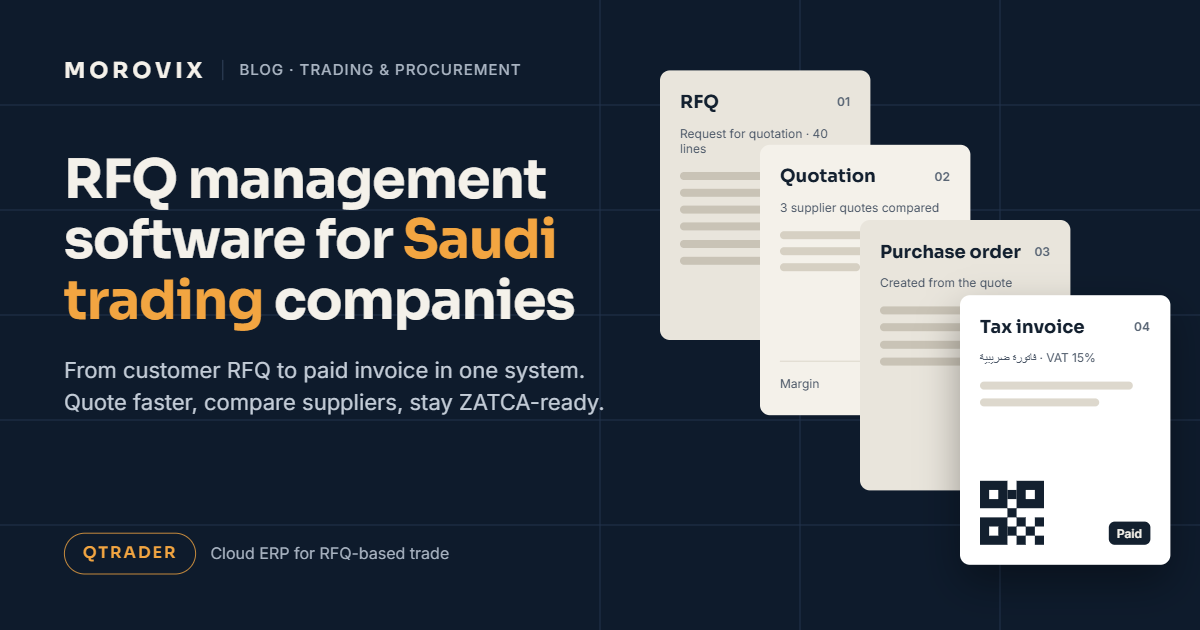
RFQ management software tracks a customer's request for quotation from the moment it arrives until the invoice is paid. For trading, MEP, HVAC and project-supply companies in Saudi Arabia, it replaces the usual mix of email, Excel and WhatsApp with one record per deal. You type less, quote sooner, protect your margin and issue invoices that follow ZATCA's e-invoicing rules.
QTRADER, Morovix's cloud ERP for RFQ-based trade, was built for exactly this workflow. This guide covers how the workflow runs, which features matter, how QTRADER handles each step, and what to ask any vendor before you buy.
What is RFQ management software?
It's a system built around the quotation, not the invoice. Most accounting tools start working once a sale is agreed. Trading companies spend most of their effort before that point: reading the customer's RFQ, asking suppliers for prices, comparing them, adding a margin and sending a quote before a competitor does.
RFQ management software handles that pre-sale work and then carries the same data through to the purchase order, delivery, invoice and payment. Nothing gets typed twice.
Why do RFQs take so long in most trading companies?
Here's how a typical request moves through an MEP supply company that still runs on spreadsheets.
A contractor emails a 40-line RFQ as a PDF. Someone in sales retypes every line into Excel. They send the list to three suppliers on WhatsApp, with the contractor's name removed by hand. The replies come back as a photo, a PDF and an Excel file, each in a different format. The salesperson lines them up, picks the best prices, adds a margin and builds the quotation. By the time it goes out, it's the next afternoon.
If the customer then sends a PO, the whole list is typed again for the purchase order, again for the delivery note and again for the invoice. Every copy is another chance to get a quantity or price wrong.
The problem isn't effort. It's that each document lives in a different file, so nothing flows from one step to the next.
What does the RFQ-to-payment workflow look like?
In a connected system, each step creates the next document:
- Customer RFQ arrives and is logged, assigned to a salesperson and given a response deadline.
- Supplier RFQs go out to vendors, with the customer's details hidden.
- Vendor quotes come back and are compared side by side.
- Quotation is built from the chosen prices, with your margin applied.
- Customer PO is recorded against the accepted quotation.
- Purchase order is raised to the supplier, with approvals if needed.
- Delivery is recorded, and stock is updated.
- Invoice is issued with VAT.
- Payment is matched against the invoice.
When the data moves on its own, the salesperson's time goes into pricing and follow-up instead of copying.
Which features matter most?
| Feature | What it fixes |
|---|---|
| RFQ inbox with assignment and response deadlines | Requests sitting in someone's email with nobody owning them |
| Reading RFQs and supplier quotes from PDFs or photos | Hours of manual line entry |
| Supplier RFQs with customer details hidden | Suppliers going direct to your customer |
| Side-by-side vendor quote comparison | Picking prices by eye across different file formats |
| Margin view on every quotation | Discounts that quietly wipe out profit |
| Quotation revisions with full history | Losing track of which version the customer accepted |
| Alternative items | Losing a deal because one brand is out of stock |
| Three-way match (PO, goods receipt, supplier bill) | Paying for goods that never arrived |
| Sending documents as PDF on WhatsApp or email | Exporting, saving and attaching files by hand |
| VAT and ZATCA e-invoicing built in | A second system just for compliance |
How QTRADER handles RFQ-based trading
QTRADER is aimed at trading, MEP, HVAC, contracting and project-supply SMEs in Saudi Arabia and the GCC.
Sales and RFQ. An RFQ inbox with assignment and response deadlines, quotations with revisions and margins, alternative items, best-price selection, proforma invoices, delivery notes and invoices.
Procurement. Supplier RFQs with your customer's details hidden, side-by-side vendor quote comparison, purchase orders with approvals, and advance payments.
AI tools. Upload a PDF or photo of an RFQ, supplier quote or bill, and QTRADER pulls out the items, quantities, prices and VAT. It also translates item descriptions and remembers your past translations, suggests vendors and the best price, and answers questions such as "Which invoices are overdue?"
Inventory and accounting. Multi-warehouse stock with weighted average cost, goods receipts, returns and physical counts. Chart of accounts, automatic journals, general ledger, trial balance, receivable and payable ageing, bank and cash, and VAT returns.
Everyday use. Send quotations, POs and invoices as PDFs on WhatsApp or email straight from the system. It works on mobile, captures documents by photo and keeps a full revision history and audit trail.
Control. Roles and permissions, an audit log, multi-company support and data kept separate for each company, encrypted and fully in the cloud. Customers and suppliers get their own statements and portal access.
How much time can it save?
These figures come from the QTRADER brochure and are typical estimates. Actual results vary with the size of your RFQs and how your team works today.
| Task | Manual | With QTRADER |
|---|---|---|
| Enter a 40-line RFQ | ~60 min | ~5 min |
| Compare 3 supplier quotes | ~90 min | ~10 min |
| Prepare a quotation | ~2 hours | ~15 min |
| Enter a supplier bill | ~20 min | ~3 min |
For a five-person sales team, that works out to an estimated 200+ hours a month.
Generic accounting, a large ERP or RFQ-first software?
Each option suits a different kind of business. These are general patterns, so check any vendor against your own process.
| Excel + WhatsApp | Generic cloud accounting | Large ERP suite | RFQ-first ERP (e.g. QTRADER) | |
|---|---|---|---|---|
| RFQ inbox with deadlines | No | Rarely | Possible with setup | Yes |
| Reading RFQs and supplier quotes from PDFs | No | Rarely | Usually an add-on | Yes |
| Supplier price comparison | Manual | Limited | Yes | Yes |
| Three-way match | No | Limited | Yes | Yes |
| WhatsApp document sharing | Manual | Rarely | Rarely | Yes |
| Time to go live | None | Days | Often months | About 2 weeks |
| Fits an SME budget | Yes | Yes | Often not | Yes |
If most of your revenue starts with an RFQ, the software should start there too.
Does RFQ software need to handle ZATCA e-invoicing?
If you're VAT-registered in Saudi Arabia, your invoices need to meet ZATCA's e-invoicing requirements. Running quotations in one system and invoicing in another means re-entering data and doubling the places where something can go wrong.
QTRADER includes ZATCA Phase 2 e-invoicing, with sandbox and production setup for each company. Requirements depend on your business size and integration wave, so check the current rules on the ZATCA e-invoicing portal and see our ZATCA Phase 2 checklist for Saudi SMEs. This is general information, not tax advice.
How long does it take to go live?
QTRADER usually goes live in about two weeks:
- Demo with your own RFQ examples
- Company setup
- Data import from Excel or CSV
- Team training
- Go live
For comparison, an on-premise ERP for five users typically means buying a server, paying for IT support and waiting three to six months to go live (indicative market figures).
Questions to ask before you choose
- Can it read RFQs and supplier quotes from PDFs and photos, or does someone still type them in?
- Can suppliers see who the end customer is?
- Does every quotation show its margin before it's sent?
- Does the customer PO turn into a supplier PO and invoice without retyping?
- Is ZATCA e-invoicing built in, or a separate product?
- How long until your team is using it on real deals?
Frequently asked questions
What is an RFQ in trading? A request for quotation is a customer's list of items and quantities, sent to suppliers so they can quote a price. In Saudi trading and contracting, it's usually the first step of every sale.
How is RFQ software different from accounting software? Accounting software starts at the invoice. RFQ software starts at the customer's request and covers supplier pricing, quotations and margins before the sale, then passes the same data through to invoicing.
Can QTRADER read an RFQ sent as a PDF or photo? Yes. It extracts items, quantities, prices and VAT from PDFs and photos of RFQs, supplier quotes and bills, and you check the result before saving.
Is QTRADER ZATCA-compliant? QTRADER supports ZATCA Phase 2 e-invoicing, with sandbox and production setup for each company. Check the current requirements for your business with ZATCA or your tax adviser.
Is there a free trial? Yes. QTRADER offers a 30-day free trial.
See it with one of your own RFQs
Send us a real RFQ and we'll show you how QTRADER turns it into a quotation, a purchase order and an invoice. Book a demo or message us on WhatsApp at +966 50 433 4135.
Ready to Transform Your Business?
Discover how AI, automation, and smart software solutions can improve your business operations.
Request a Free Initial Consultation