
Van Sales App for Saudi Distributors: A Buyer's Guide
What a van sales app should do in Saudi Arabia: van loading, route visits, Arabic VAT receipts with QR, collections and end-of-day settlement. 8 questions.
By Morovix Team
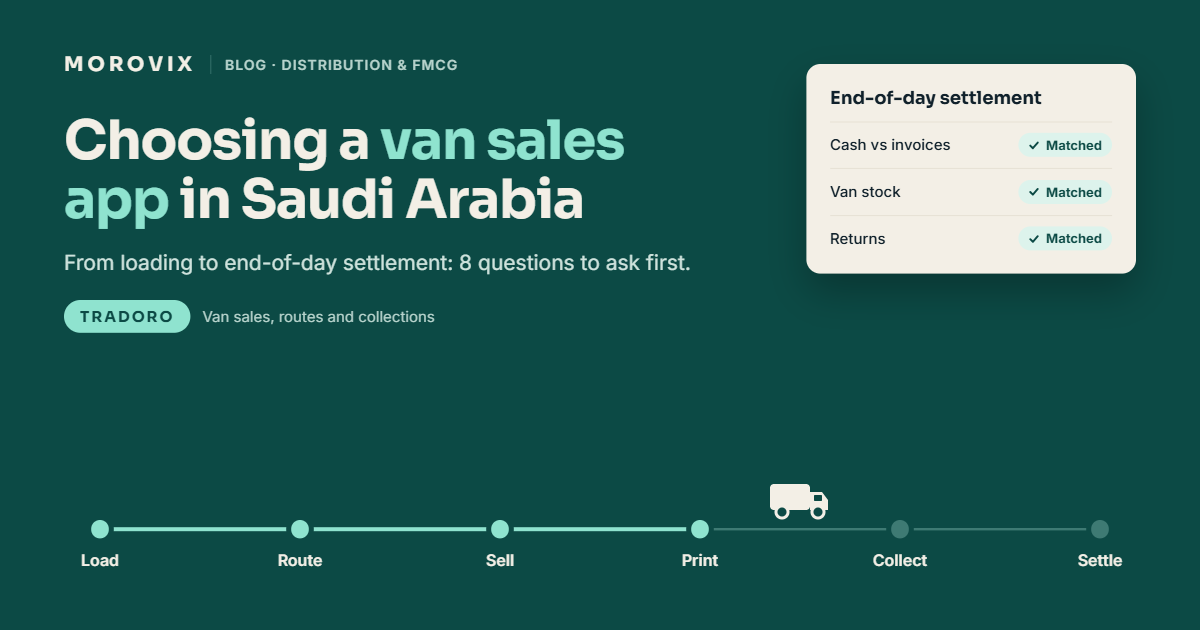
A van sales app lets your reps sell, invoice and collect payment directly from the van, while head office sees every order, riyal and carton as it happens. In Saudi Arabia, a good one has to do four things well: show the real stock in each van, print Arabic and English VAT receipts with a QR code, record collections without errors, and make the end-of-day settlement quick and accurate.
TRADORO, Morovix's distribution platform, runs van sales as part of a full order-to-cash system. This guide walks through a van rep's day, the questions to ask any vendor, and where van sales businesses usually lose money.
What does a van sales app do?
It replaces the order book, the receipt pad and the end-of-day spreadsheet. The rep carries stock, sells on the spot and hands over a printed invoice. The app keeps track of what was loaded, sold, returned and collected, so the numbers match when the van comes back.
This is different from pre-selling, where a rep takes orders for delivery later. Many Saudi distributors do both, so check that the app handles both without a separate system. For the wider picture, see our guide to FMCG distribution software in Saudi Arabia.
A van sales day, step by step
Here's what the app should handle at each stage of a normal day:
- Loading. The rep requests stock for the day, the warehouse confirms it, and the van's stock updates. No paper loading sheet.
- Route. The rep opens today's route and sees which outlets to visit, in what order. See our route and beat planning guide for setting this up.
- Visit. The rep checks in with GPS at the outlet. The visit is logged with the time, even if the shop doesn't order.
- Order. The rep picks products, sees the customer's price list and the van's stock on the same screen, and any promotion applies automatically.
- Credit check. If the customer is over their limit or on credit hold, the app blocks the credit sale before the invoice prints.
- Invoice. A bilingual receipt prints on the van printer with your VAT number, CR number and QR code.
- Collection. Cash, transfer or cheque is recorded against the invoice.
- Returns. Damaged or expired goods come back with a credit note, and the stock is recorded properly.
- Settlement. Back at the warehouse, cash, cheques and remaining stock are checked against what the app says should be there.
If any of these steps still needs paper or a phone call to the office, that's where mistakes and delays come from.
8 questions to ask any vendor
| Question | Why it matters |
|---|---|
| Can the rep see van stock and the customer's price list on one screen? | Stops reps selling stock they don't have or quoting the wrong price |
| Which Bluetooth van printers are supported? | Buying the wrong printer is an expensive mistake |
| Do receipts print in Arabic and English with the VAT number, CR number and QR code? | Saudi customers and ZATCA rules both expect it |
| Is the credit limit checked before the invoice prints? | Unpaid credit sales are the biggest cash-flow risk in van sales |
| Are duplicate or over-payments blocked? | A double-recorded collection hides a real shortage |
| Is stock deducted on confirmed delivery only? | Keeps van stock accurate when an order is cancelled at the door |
| Does it track batch and expiry dates in the van? | Old stock should leave the van first |
| How long until one van is live? | You should be able to test on real routes within days, not months |
Which printer should you use?
Most van sales in Saudi Arabia run on 80mm Bluetooth thermal printers. When testing, print a real invoice with Arabic product names and check three things: the Arabic text joins and reads right-to-left correctly, the QR code scans with a phone, and the receipt is still readable after a day in a hot van.
TRADORO supports Bluetooth printing to van printers from well-known brands such as Zebra, Honeywell, etc., and prints both 80mm receipts and A4 invoices.
End-of-day settlement: where the money leaks
Most van sales losses aren't theft. They come from small gaps that nobody can trace at 7pm:
- Cash that doesn't match invoices, because a collection was recorded twice or not at all.
- Van stock that doesn't match sales, because a cancelled order was deducted anyway, or a return wasn't recorded.
- Expired stock nobody noticed until it came back from the shelf.
- Credit sales to customers who shouldn't have had credit, found only at month-end.
A good app makes settlement a check, not an investigation. The rep's collections, the van's remaining stock and the day's returns should all be on one screen, ready to compare with what's physically in the van.
How TRADORO handles van sales
TRADORO was built for FMCG distributors and van sales teams in Saudi Arabia and the GCC, in Arabic and English with full right-to-left support.
- Van stock. Multiple vans, warehouses and branches, with live on-hand and reserved stock, van loading requests, transfers, and batch, manufacturing and expiry dates.
- Selling. Quick Order shows the customer, stock location and price list side by side, with van stock on each line. Multiple price lists, discounts, free-goods schemes, buy-X-get-Y and slab promotions are supported.
- Invoicing. Bilingual A4 invoices and 80mm receipts with your logo, VAT number, CR number and ZATCA QR code, printed over Bluetooth.
- Collections and credit. Cash, transfer and cheque, with duplicate and over-payment protection. Credit limits, credit hold, cash-only customers and payment terms are checked on every order.
- Returns. Stock is deducted only on confirmed delivery, and returns and credit notes are handled in the same flow.
- Field control. Today's Route, GPS check-in and check-out, visit status, expense vouchers with receipt photos, and targets and commission.
- Devices. Android and iPhone apps, plus an installable web app.
If you're also preparing for ZATCA's Phase 2 deadline, read our Wave 25 e-invoicing checklist.
How fast can you start?
TRADORO's Simple Van Sales setup typically takes two to three days (a typical estimate; actual timelines vary). A sensible test is to put one van on TRADORO for a week of real routes during the 14-day free trial, then compare its end-of-day settlement with your current process.
Frequently asked questions
What is a van sales app? A mobile app that lets sales reps sell from stock carried in their van: taking orders, printing invoices, collecting payment and recording returns, with head office seeing everything in real time.
What is the difference between van sales and pre-sales? In van sales, the rep delivers and invoices on the spot from van stock. In pre-sales, the rep takes the order and the goods are delivered later. Many distributors run both.
Do van sales receipts need a ZATCA QR code? VAT-registered businesses must follow ZATCA's e-invoicing rules, which include a QR code on simplified tax invoices. Check current requirements on the ZATCA website; this is general information, not tax advice.
Can TRADORO print Arabic receipts? Yes. TRADORO prints bilingual Arabic and English 80mm receipts and A4 invoices, over Bluetooth to supported van printers.
How long does it take to set up van sales on TRADORO? The Simple Van Sales tier typically goes live in two to three days. Larger setups with warehouses, promotions and credit control take longer.
Try it on one van
Book a demo and we'll set up one of your vans with your products, prices and route. Request a demo or message us on WhatsApp at +966 50 433 4135.
Ready to Transform Your Business?
Discover how AI, automation, and smart software solutions can improve your business operations.
Request a Free Initial Consultation